How to Get Clear Audio on VoIP and Browser Calls
Robotic voices, echo and cut-outs on internet calls nearly always come from your own end. Here's how to diagnose each problem and fix it in a few minutes.
On this page (7 sections)
When an internet call sounds bad, the cause is almost always on the caller's side: an unstable connection, sound from the speakers leaking back into the microphone, or something else on the network using bandwidth. The codecs and networks behind modern VoIP are good. The fixes below sort out most problems in a few minutes, and the table that follows helps you tell which problem you have.
Match the symptom to the cause
| What you hear | Likely cause | First fix |
|---|---|---|
| Robotic, metallic or warbly voice | Packet loss | Move closer to the router or use a cable; stop uploads |
| Words cut out, then catch up | Jitter (packets arriving unevenly) | Pause video streams and big downloads on the network |
| Long pauses, talking over each other | High latency | Switch from mobile data to Wi-Fi, or from a VPN to a direct connection |
| They hear themselves echo | Your speakers feeding your mic | Use earbuds or a headset |
| You sound faint or muffled | Wrong microphone selected, or a Bluetooth headset in call mode | Choose the right mic in the browser; try a wired headset |
| Hiss or background noise | Cheap mic, fan noise, noisy room | Use a headset mic close to your mouth |
Fix the connection first
Voice calls need very little bandwidth but a lot of consistency. Each audio packet needs to arrive on time, and a few late packets hurt more than a slow overall speed. For conversation, the ITU's long-standing guidance is to keep one-way delay under about 150 milliseconds, beyond which people start to talk over each other.
What helps most:
- Use a cable if you can. Ethernet removes most Wi-Fi jitter straight away.
- Use the 5 GHz Wi-Fi band and get closer to the router. Walls, microwaves and neighbouring networks all crowd the 2.4 GHz band.
- Stop background uploads. Cloud photo backups, file syncs and video uploads saturate your upload speed, which is the direction your voice travels.
- Turn off the VPN for the call if it routes your traffic through a distant country. Each extra hop adds delay.
- On mobile data, stay still. Moving between cell towers mid-call causes short drop-outs.
Then fix the audio
- Wear earbuds or a headset. This one change fixes most echo complaints. Browsers have echo cancellation, but a laptop speaker at full volume a few centimetres from the mic is hard for any algorithm to remove.
- Wired often beats Bluetooth for calls. When a Bluetooth headset uses its microphone, it switches to a hands-free profile that often lowers audio quality and adds delay. If you sound muffled on Bluetooth, try wired earbuds.
- Pick the right microphone. Click the padlock or site settings icon in the address bar and check which input the page is using. A docked laptop sometimes picks a webcam mic across the room.
- Don't stack noise suppression. If your headset app, your operating system and the browser all suppress noise, voices can sound watery. Turn off one of them.
Then check the browser
- Keep the browser updated. WebRTC fixes and codec improvements arrive with normal updates.
- Keep the calling tab in front on phones. Mobile browsers throttle background tabs.
- Close heavy tabs. Video streams and big web apps compete for CPU and network.
- Look at the numbers. In Chrome or Edge, opening
chrome://webrtc-internalsduring a call shows live packet loss, jitter and round-trip time. A few percent of packet loss or jitter in the tens of milliseconds explains choppy audio.
The limit you can't change
A call between two browsers can sound close to full-band studio quality, because WebRTC uses the Opus codec. A call to a real landline or mobile is different. Once it reaches the phone network, the audio is limited by that network, and many international routes still carry calls in narrowband G.711 (about 300 to 3,400 Hz). Mobile HD Voice can do better, but usually only inside a single operator's network.
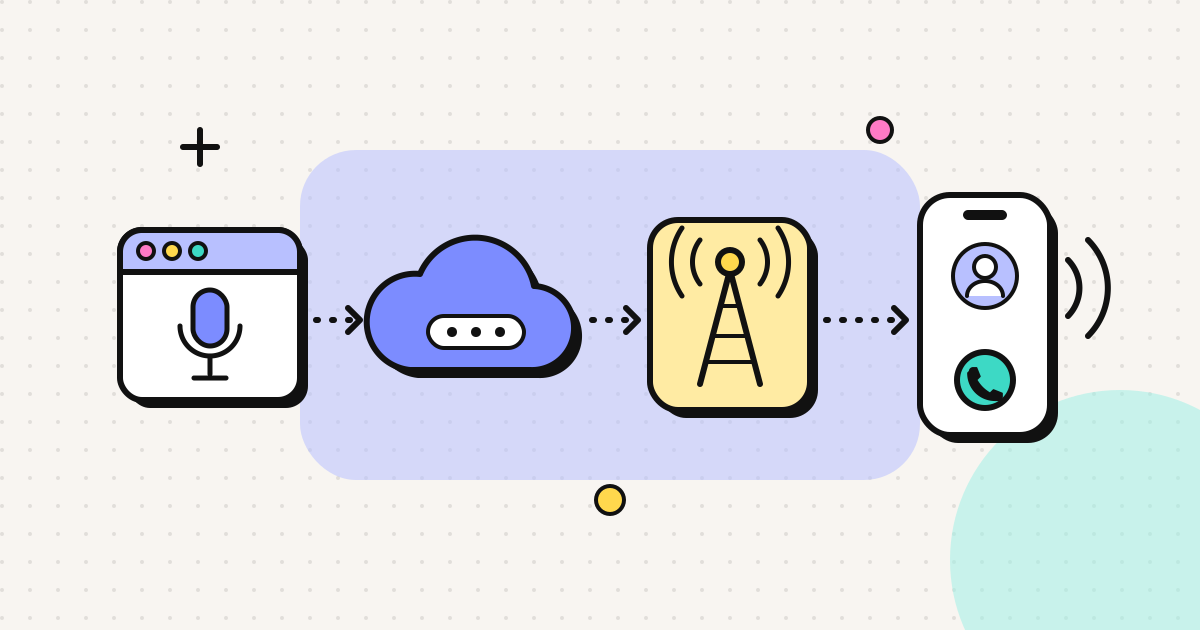
A good browser call to a phone number therefore sounds like a good, clear normal phone call. Any provider that promises "HD" or "crystal clear" audio to every phone in the world is overselling. Our explainer on browser phone calls shows where each step happens.
A two-minute pre-call checklist
- Earbuds or headset on.
- Wi-Fi strong, or a cable plugged in, with no big uploads running.
- VPN off if it isn't needed.
- Right microphone selected in the browser.
- Calling tab in the foreground.
When the problem is at the other end
If your setup is clean and the call still sounds poor, the problem may be the other person's signal, especially a mobile in a rural area or deep inside a building. Ask them to move near a window, or call their landline instead if they have one. With EzyRing, the rates page shows separate mobile and landline rates, and the landline is often the cheaper and steadier option.
For calls where you need the other person to recognise you, such as an elderly parent or a bank, verifying your own number for caller ID matters as much as audio quality, because an unknown number often isn't answered. For the full setup from scratch, see how to make a phone call from your browser.
Frequently asked questions
Why does my VoIP call sound robotic or choppy?
Usually packet loss or jitter: some audio packets arrive late or not at all, and the codec fills the gaps. The common causes are weak Wi-Fi, a busy connection (uploads, video streaming, cloud backups) or a congested mobile signal. Moving closer to the router or using a cable usually fixes it.
Why does the other person hear an echo of themselves?
Your microphone is picking up their voice from your speakers and sending it back. Browsers cancel most echo, but loud laptop speakers can overwhelm it. Wearing earbuds or a headset removes the problem almost completely.
How much internet speed does a VoIP call need?
Very little: voice uses tens of kilobits per second. What matters is stability, meaning low latency, low jitter and almost no packet loss. A slow but steady connection sounds better than a fast one that drops packets.
Can a browser call sound better than a normal phone call?
Between two browsers, yes. When you call a real phone number, the call passes through the phone network, which often limits audio to narrowband phone quality. A good browser call to a phone sounds like a good normal phone call.
Written by
EzyRing Engineering
The team that builds EzyRing, a browser phone for calling landlines and mobiles abroad, made in Madrid.
Ready to make the call?
Sign-up is free. You only pay for the minutes you use.
Prepaid, no subscription
Top up from $5. Credit doesn't expire, and nothing renews.
Rate shown before you call
You see the per-minute price before dialling and the running cost during the call.
Caller ID from a number you verify
Verify a number you own once; calls go out with it. Display depends on the recipient's carrier.
Calls aren't recorded. EzyRing is not for emergency calls.