Why Your Number Shows as Unknown (or Different) on Calls Abroad
When your international call arrives as Unknown or a different number, the cause is usually one of five things. Here is how to work out which, and what you can change.
On this page (9 sections)
- How caller ID actually travels between countries
- Step 1: Check your phone settings
- Step 2: Look at the calling service you used
- Step 3: Anti-spoofing rules in the destination country
- Step 4: Transit carriers dropping the number
- Step 5: The recipient's phone and carrier
- What verified caller ID changes, and what it doesn't
- Caller ID still not showing? How to test it
- Next step
When your international call shows up as "Unknown", "Private", "No Caller ID" or a number you've never seen, the cause is almost always one of five things: a setting on your phone, the calling service you used, a carrier in the middle dropping the number, an anti-spoofing rule in the destination country, or the recipient's own phone. Some of these you can fix in a minute; others are outside anyone's control. If your caller ID is not showing on international calls, work through them in this order and you will usually find the culprit by step three.
How caller ID actually travels between countries
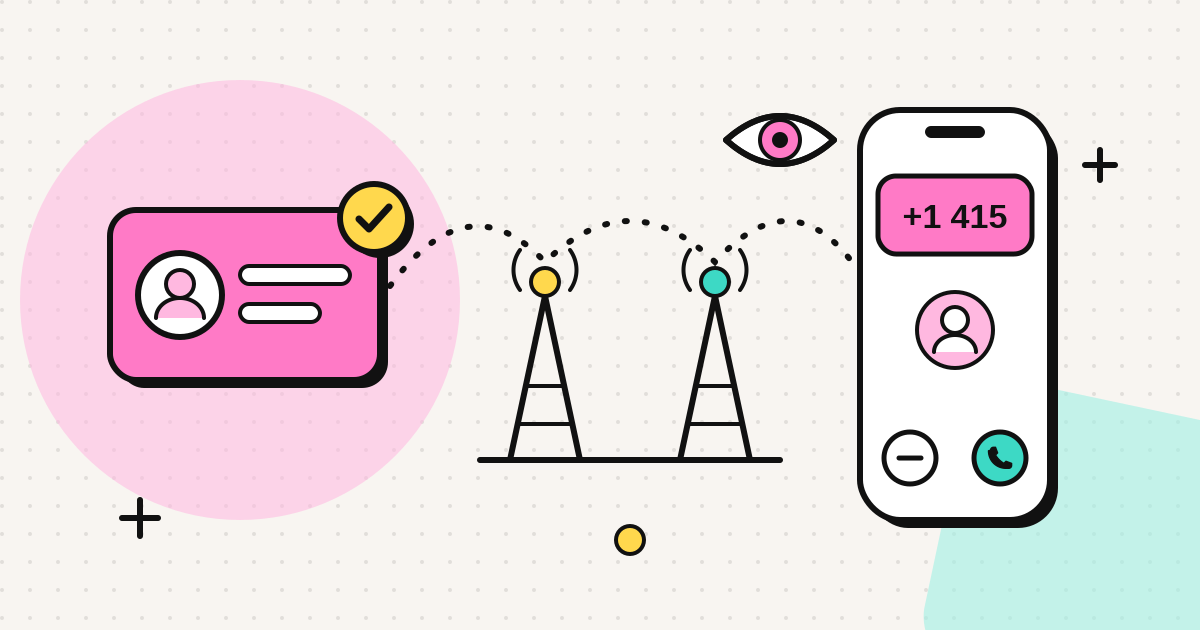
The number shown on the other person's phone isn't fixed to the call like a postmark. It's a piece of data (in telecom terms, the CLI or Calling Line Identification) passed from network to network.
A typical international call goes:
- Your phone or app to your carrier or calling service.
- Your carrier hands it to one or more international transit carriers.
- A gateway in the destination country hands it to the recipient's carrier.
- The recipient's carrier decides what to display on their phone.
At each handover the number can be passed through, dropped, flagged or replaced. Domestic calls usually involve one or two networks with clear rules. International calls can involve three or four, in different countries, with different laws. That's why the same phone can show your number perfectly on a local call and show "Unknown" on a call home.
Step 1: Check your phone settings
Rule out the easy cause first.
- iPhone: Settings, then Apps, then Phone, then Show My Caller ID. If it's off, your number is withheld on every call. If the option is missing or greyed out, your carrier controls it, according to Apple.
- Android: In the Phone app, open Settings, then Calls or Supplementary services, then Caller ID. "Network default" or "Show number" is what you want; "Hide number" withholds it.
- Prefixes: Dialling #31# (in much of Europe) or *67 (in the US) before a number hides your caller ID for that call. Check your saved contacts don't have one stored by accident.
If these are all fine, test with a local call to a friend. If your number shows locally but not abroad, the problem is further along the chain.
Our older guide to seeing "No Caller ID" on iPhone covers the receiving side if you're on the other end of this problem.
Step 2: Look at the calling service you used
Many app-based calling services don't send your mobile number at all. They show:
- a number belonging to the service,
- a random number from a pool, or
- nothing, so the call arrives as Unknown.
They do this because sending a number they haven't verified as yours would be spoofing, which carriers and regulators increasingly punish. If you called through an app and the recipient saw a strange number, that's usually the explanation. It's not a fault; it's how that service works.
The fix here is a service that lets you prove you own a number before it uses it as your caller ID.
Step 3: Anti-spoofing rules in the destination country
This is the cause people find most surprising, and the one nobody can override.
Scammers abroad have long faked local numbers to make their calls look trustworthy, so regulators have started treating "a call from abroad showing a domestic number" as suspicious by default.
Germany
Since 1 December 2022, German networks must suppress the caller ID on calls that enter Germany from abroad showing a German number (§ 120 TKG). German mobile numbers that are genuinely roaming abroad are exempt, though German operators say even roaming calls can arrive without a number in some cases. So a German number calling Germany from a service abroad will often show as "Unknown".
United Kingdom
UK networks already stop calls from abroad that display a UK landline number; Ofcom tightened those rules at the start of 2025. Mobiles were the gap, because a UK mobile roaming abroad legitimately shows its +44 7 number. In July 2025 Ofcom proposed closing it, and its updated guidance now says operators should withhold the caller ID of calls from abroad that appear to come from a UK mobile unless they can verify it. As networks roll this out, expect a UK mobile number calling a UK phone through any foreign route to arrive as withheld more often.
United States and Canada
The US uses STIR/SHAKEN, a system where carriers digitally sign calls to vouch for the caller ID. Since mid-2023, gateway providers that bring international calls into the US must apply it to calls carrying US numbers. In practice, a call from abroad showing a US number gets the lowest level of trust, and some phones and apps label it "Spam Risk" or "Unknown" depending on the carrier's call-filtering settings.
The pattern
Cross-border caller ID (for example a Spanish mobile calling Pakistan, or a US mobile calling the Philippines) usually displays. Same-country caller ID arriving from abroad (a UK number calling the UK through a foreign route) is where most countries now intervene. Other countries have similar rules, and they change; if you call one country a lot, test it.
Step 4: Transit carriers dropping the number
Even with no rule against it, the cheapest international routes sometimes don't carry caller ID reliably. Some low-cost wholesale routes drop it or replace it with a generic number. You can't see which route your call took, but you can notice patterns: if calls to one country show your number on some days and not others, routing is a likely cause.
Calling services and carriers that pay for higher-quality routes are more consistent, but even they can't control every network in between.
Step 5: The recipient's phone and carrier
Finally, the receiving end:
- Call-filtering apps and carrier spam labels can hide or relabel numbers.
- Contacts saved without a country code may not match. If your mother saved your number as 07700 900123 instead of +44 7700 900123, her phone might show the raw number instead of your name.
- Some carriers simply don't display international caller ID on certain plans or older handsets.
Ask the person you call to save your number in full international format (+country code and number). It's the cheapest fix there is.
What verified caller ID changes, and what it doesn't
Verified caller ID solves Step 2: the "random number" problem. With EzyRing you verify a number you own once (we call it and you key in a code), and your calls from the browser go out with that number as caller ID. Because ownership is checked, it's passed as your number rather than a made-up one.
It doesn't override Step 3 or Step 5. If you call a German phone with a German number from abroad, German rules still apply. That's a protection for the people you're calling, not a fault to route around. We'd rather say this up front than have you discover it on the first call.
Where it helps most is cross-border calling with a number people already know: your Spanish mobile to your parents in Morocco, your US number to a supplier in Vietnam. The verified caller ID page explains the checks. For background on how display differs by country, see our explainer on caller ID on international calls, and on what "Unknown" versus "No Caller ID" actually signals, unknown caller vs no caller ID.
Caller ID still not showing? How to test it
- Call a friend in the destination country and ask them to read out exactly what appeared: number, name, "Unknown", "Private", or a different number.
- Try a different-country number if you have one. If your UK mobile shows as withheld calling the UK but your Spanish mobile displays fine, you're seeing an anti-spoofing rule.
- Try a landline and a mobile in the destination. Display behaviour can differ.
- Check the contact format on their phone.
- If it still doesn't show, send a short text before important calls ("Calling you from my number in 2 minutes") so the call gets answered anyway.
Next step
If your calls currently arrive as a random number, verified caller ID is worth a test: verify the number people know, make one call to the country you call most, and ask what they saw. How it works shows the whole flow, and you can create an account with a $5 top-up that doesn't expire, so a test call costs you very little.
Frequently asked questions
Why does my number show as Unknown when I call home from abroad?
Often because the destination country withholds calls from abroad that display one of its own numbers. Germany has done this since December 2022, and Ofcom's guidance now tells UK operators to withhold UK mobile numbers on calls from abroad unless they can verify them. Phone settings and carrier routing can also cause it.
Why does a completely different number show up?
Some international routes replace the original caller ID with a number belonging to the carrier or the calling service, or drop it and let the receiving network insert a generic one. App-based calling services also often show their own numbers.
Can I make my number show on every international call?
No. Once the call leaves your carrier, each network along the way and the receiving carrier decide what to display. You can fix your own settings and use services that pass a verified number, but nobody can guarantee display everywhere.
What is CLI?
CLI stands for Calling Line Identification, the telecom term for the caller's number that travels with a call. Caller ID is what the recipient's phone shows based on it.
Does verified caller ID on EzyRing fix this?
It fixes one common cause: calling from a service that shows a random number. It sends your own verified number. It can't override a receiving country's anti-spoofing rules or a carrier's display policy.
Written by
EzyRing Team
The team that builds EzyRing, a browser phone for calling landlines and mobiles abroad, made in Madrid.
Ready to make the call?
Sign-up is free. You only pay for the minutes you use.
Prepaid, no subscription
Top up from $5. Credit doesn't expire, and nothing renews.
Rate shown before you call
You see the per-minute price before dialling and the running cost during the call.
Caller ID from a number you verify
Verify a number you own once; calls go out with it. Display depends on the recipient's carrier.
Calls aren't recorded. EzyRing is not for emergency calls.